Getting Started – Updating System Lists
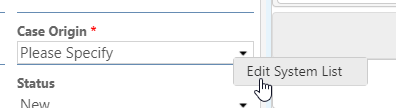
1. To edit a dropdown list, right click on it and select Edit System List.
2. Edit the existing list items or add new items to the list. The up and down arrows can change the order of the items. Anything marked as Inactive will no longer show up in the dropdown list while using the application.
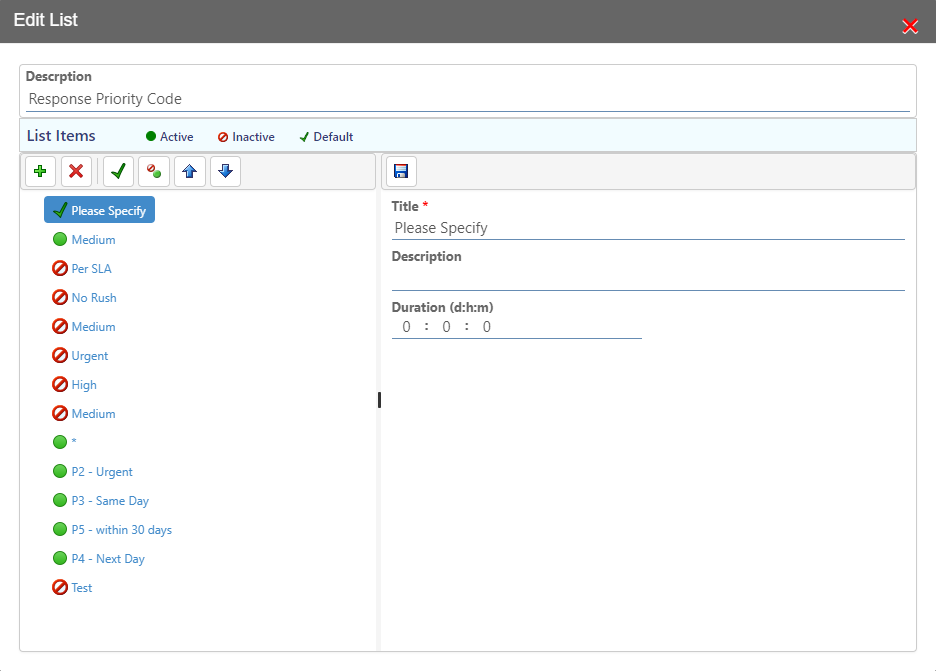
3. When you are finished editing the list, click the Save button to save it.